
Build With Me: Pixel Study App
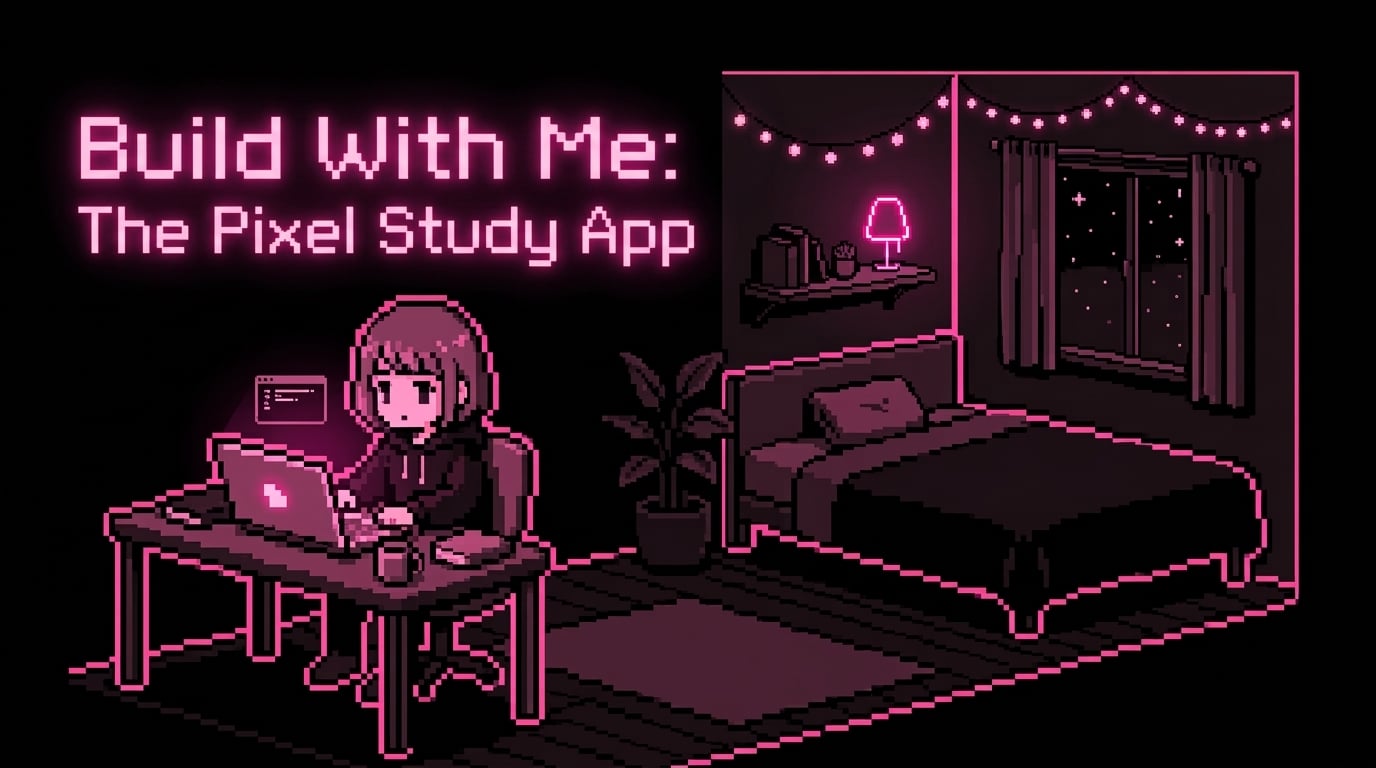
I was supposed to be studying Database Systems. Instead, I built a desktop app with a tiny pixel person who studies for me.
Being a student and a developer at the same time, in the age of social media, is something only our generation of techies understands. One minute you're trying to figure out what a heap is for Data Structures and Algorithms. The next, you're scrolling Instagram and a sophomore at a university far away is showing off a cute pixelated app she made.
And then it hits you: I CAN DO THAT AS WELL!
Welcome to another episode of the BUILD WITH ME series. Today's project is a small one, inspired by the Instagram tech girlies and built as motivation to (hopefully) study.
(Quick note: I still owe you the results of the 7-day NLP sprint. Being a university student means my days are more volatile than the software we use daily. It's coming VERY SOON*.*)
How It Started
Yesterday I was attempting to study Database Systems, which was going badly. Mainly because, lets be honest, studying isn't always fun. Somewhere in the middle of that, I thought: what if I made one of those pixel apps? My brain immediately abandoned Database Systems. My new mission was a cute Pixel Study app I could actually use.
But a vivid mental image is only useful for about five minutes. After that, you have to build the thing.
I knew what I didn't want: another giant productivity dashboard. I already have enough tabs open when I study, and linking my school Gmail to Google Classroom to my personal Gmail to everything else would be a lot. I wanted something small that could sit beside my notes and keep me company.
So I started with what the app actually needed to do. Version one had to:
Let me choose a course from my list
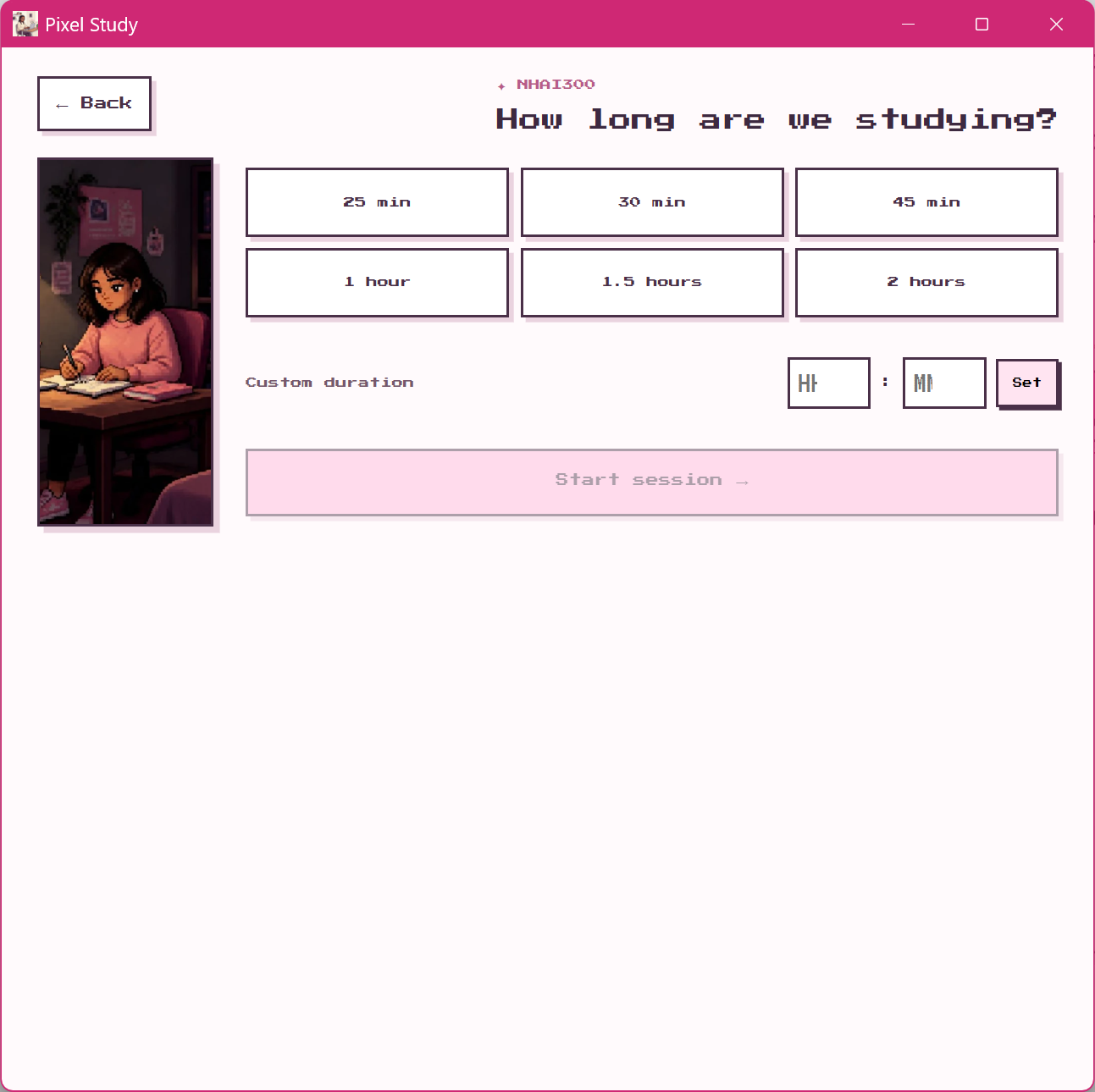
Let me choose how long to study
Start the session
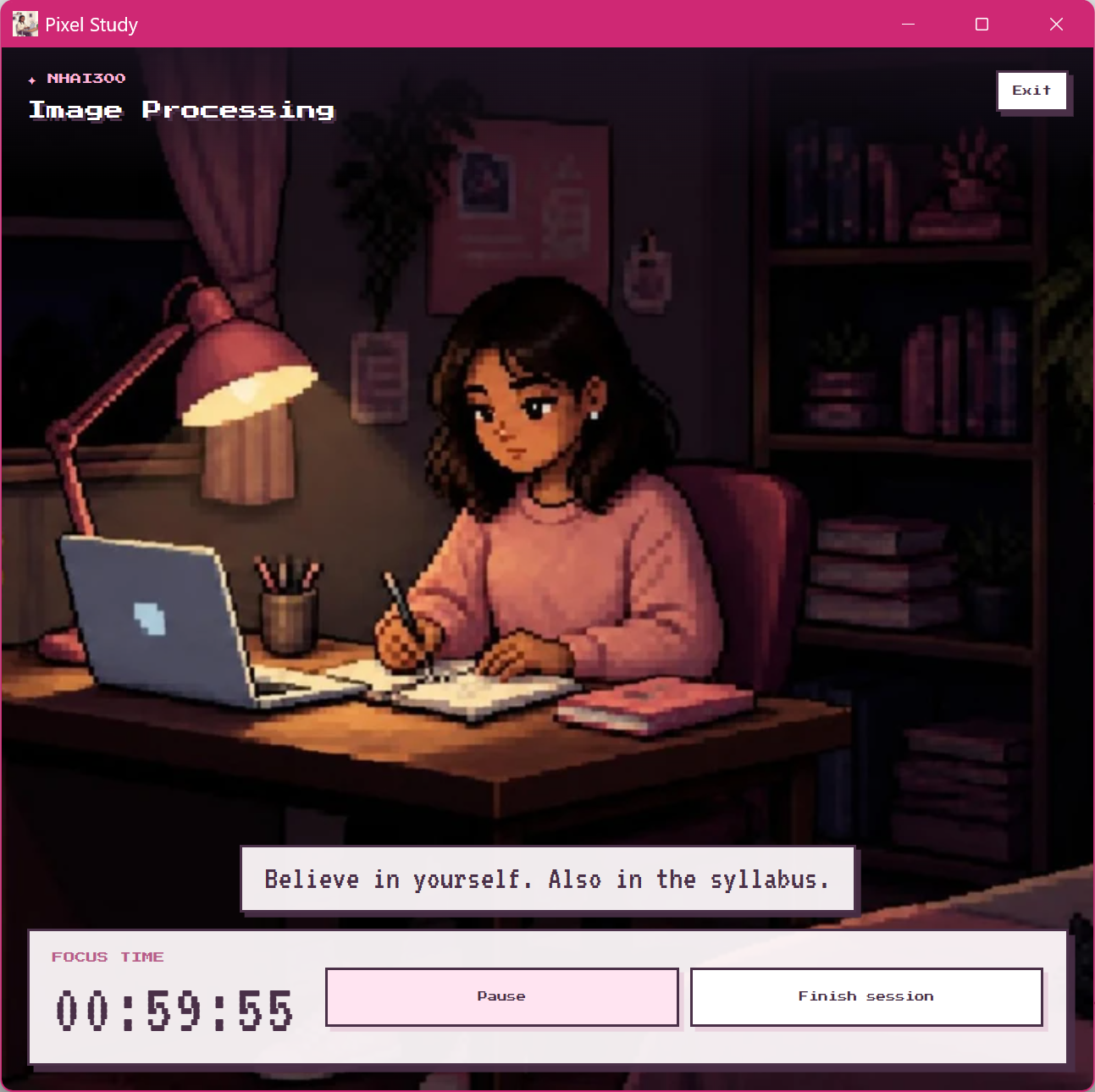
Show a pixel character studying with me
Track how long I studied
Save my progress when I finish
That was the core. Everything else could wait.
Choosing the Stack
I used Tauri 2 + React + TypeScript.
In one sentence: Tauri lets you take a web app and package it as a lightweight desktop application. React and TypeScript handle everything you see and click (the frontend), and Tauri wraps it into an app that lives on your computer instead of in a browser tab.
I'd already worked with React, so that part wasn't scary. Tauri was a creature I'd never encountered, only heard whispers of. The IG girlies who make pixel apps recommended it, and I wanted a real desktop app, so I went for it.
Pixel Study
│
├── Frontend (React + TypeScript)
│   ├── Setup screen
│   ├── Dashboard
│   ├── Study timer
│   └── Settings
│
├── Tauri (desktop wrapper)
│   └── Turns the web app into a desktop app
│
└── Local data
    └── Semester, courses, study sessions
Honestly, getting a basic Tauri app running was the easiest part. Then I had to make it actually do something.
Building the First Screen
I started with setup. When you open Pixel Study for the first time, you set your semester and add your courses. I wanted this to feel like arranging a little personal study space, not filling out a boring form.
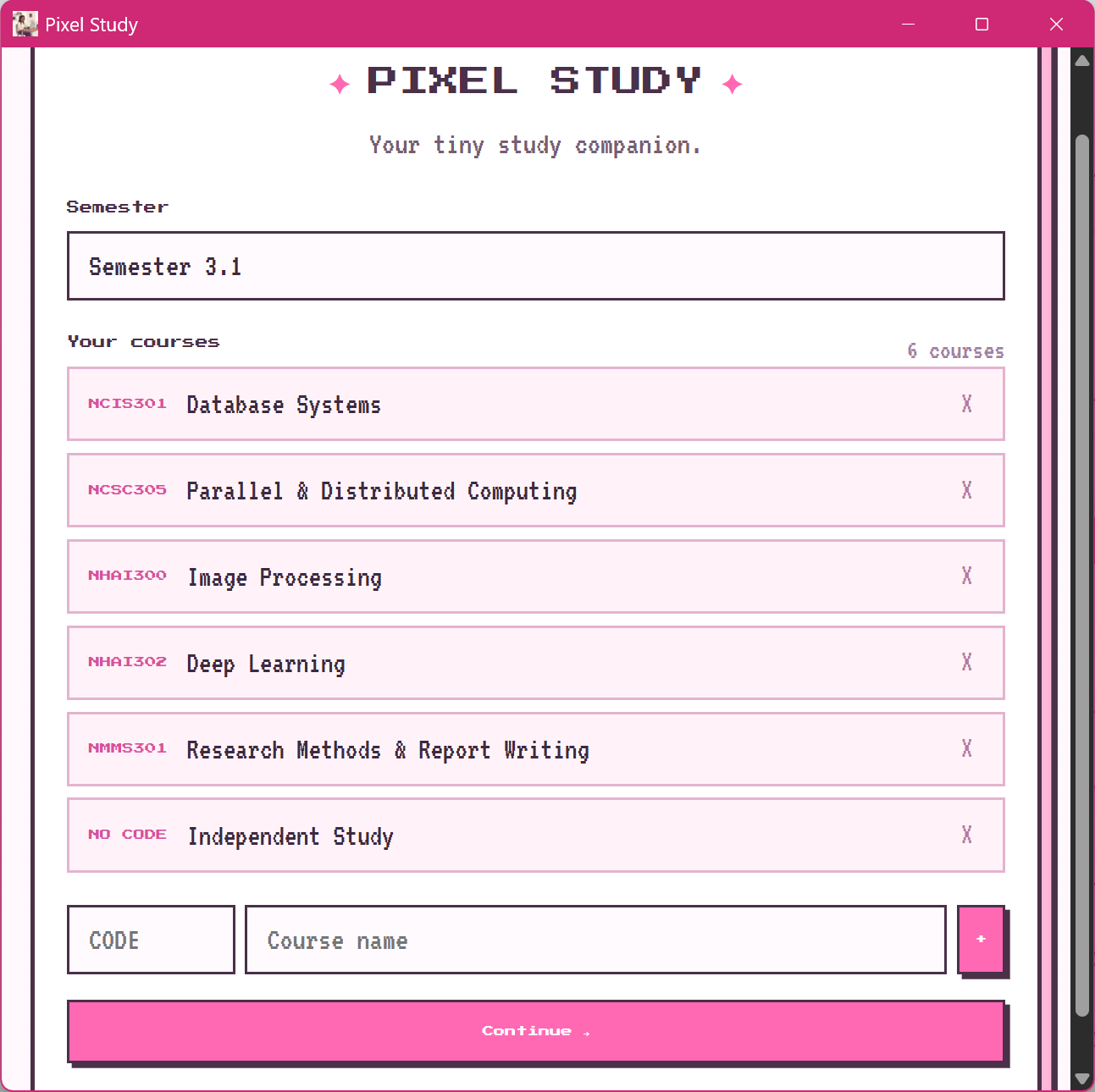
After that, you land on the dashboard, where you pick a course and start a session.
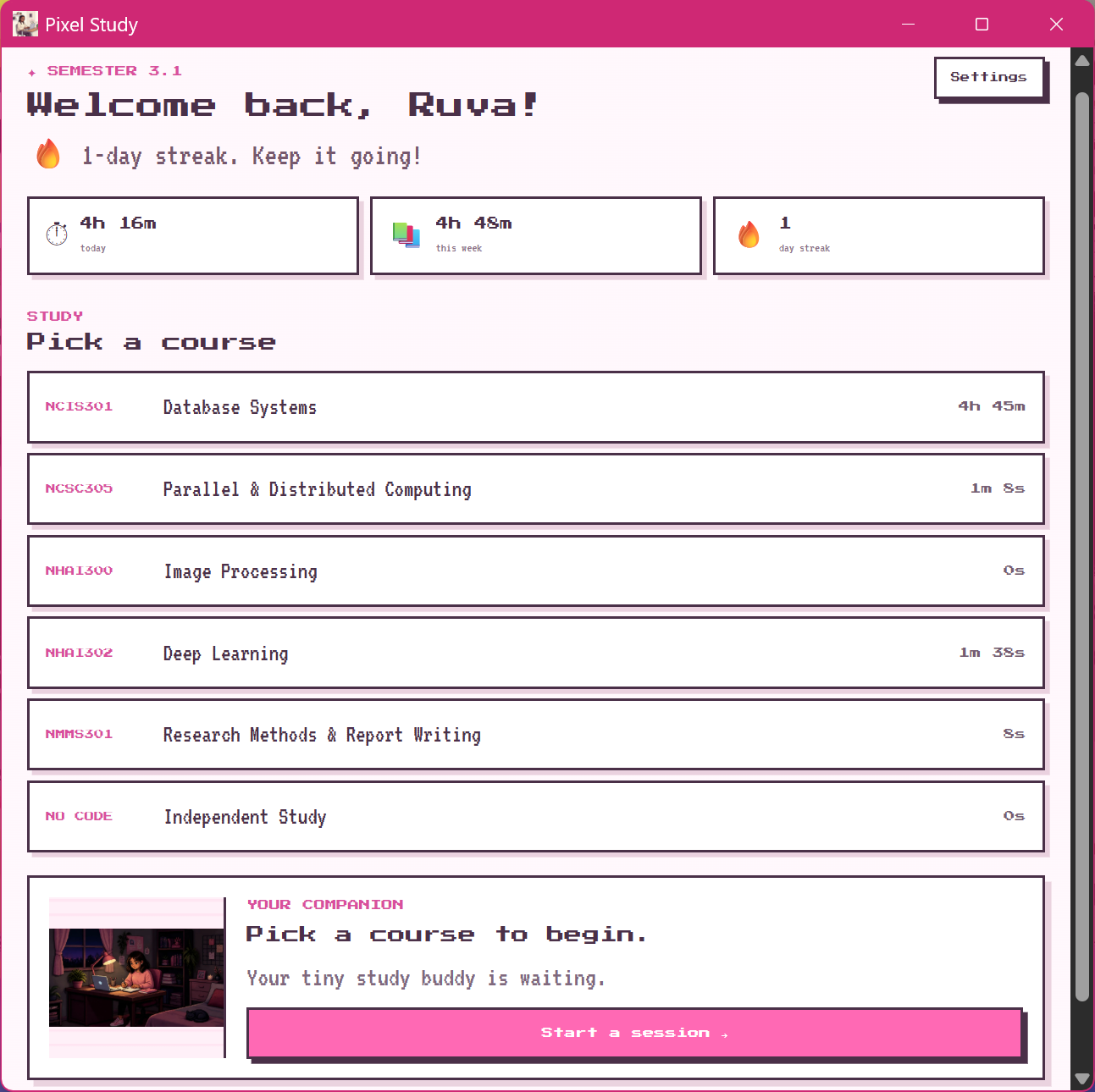
Then we have the page where we set the duration of our study period:
Lastly, we have the study page:
Then Came the Timer
The timer sounds like the simplest feature in the world.
It was not.
I had to decide what happens when it starts, when it pauses, when someone finishes early, and when it hits zero.
And I didn't want my character to just magically appear at the desk. I wanted a little sequence:
Start: walks into the room → pulls out the chair → sits down → opens the laptop → starts studying.
End: stops studying → closes the laptop → stands up → walks away.
Suddenly my "simple study timer" had become an animation system.
I tried generating the frames for these sequences in Canva, but the AI hallucinated a lot, and I couldn't get enough similar-looking images to make a smooth animation. So for version one, I settled on static images.
Making the Data Stick
There was another problem. If I studied for an hour and closed the app, I didn't want Pixel Study to wake up the next day with no idea what had happened.
Pixel Study saves your semester name, your courses, and every study session (the course, how long you studied, and the date) in a local file on your PC. It uses Tauri's file system storage and keeps everything in a small JSON file in the app's data folder, so your progress is still there each time you open the app. There's no account, cloud backup, or syncing, and your data never leaves your computer. If you ever want a fresh start, the "Reset Study Data" button clears it all.
Isn't that FASCINATING.
That gives Pixel Study a memory. It can remember that I did something productive, and it's the foundation for later features like daily and weekly stats.
The Part I Was Actually Excited About
Then came the pixel art, the reason I started this in the first place.
I didn't want a generic productivity illustration slapped onto the interface. I wanted a character that could actually live inside the app. So I designed the character and the room separately.
The room is the environment, and it's built in layers:
Background
    ↓
Room
    ↓
Weather / Lighting
    ↓
Character
    ↓
UI
This turned out to be an important decision. The same studying scene could eventually happen at 2 PM, at sunset, at midnight, or during a thunderstorm.
Right now, that was the plan, not the reality. Version one has a static character in a static room. But because the character and room are separate, the foundation is there.
What I learned
This project reminded me that even small ideas can teach you a lot.
I got more comfortable working with Tauri, React, TypeScript, state management, persistence, and animation logic, but more importantly, I learned how much easier it is to build something when you break the idea down into small, manageable pieces.
Also, apparently, procrastinating studying can occasionally result in a functional application.
What Exists vs. What's Coming
I want to be honest about where Pixel Study actually is.
Built in v1
Course setup
Study timer
Saved study sessions
Dashboard
Static pixel character and environment
Streaks
Motivational quotes during the study session
Coming next
Character animations
Time-of-day environments
Weather
Statistics
Custom characters and themes
And Then I Realised
I started this project because I was procrastinating on Database Systems. I now had a desktop app, a timer, course tracking, saved data, and a pixel character.
At some point I had to admit I had successfully turned "I don't want to study" into another software engineering project. Which is arguably the most developer thing I could have done.
Making It Open Source
I'm making Pixel Study open source, because I don't want it to only look like my study space.
Anyone can fork the repository and swap the character, replace the room, change the colours, or add features. You could have a cat instead of my character. Or a robot. Or a completely different pixel world.
I think that's more interesting than one "perfect" version.
GitHub: Pixel Study App
What I Learned
A "simple" feature (the timer) can hide a surprising amount of decisions.
Separating things into layers (character vs. room) makes a project easier to grow.
Shipping a small, honest version beats describing a huge imaginary one.
Hallucinating image tools are not yet ready to be my animation department.
So... Does It Actually Help Me Study?
That's still being tested.
I can't claim that building a study app makes me better at studying when the idea came from avoiding Database Systems. But I do think there's something to making your study space feel like somewhere you want to return to.
Pixel Study isn't here to replace your notes or textbooks, and a cute pixel character won't magically give you discipline. It just makes sitting down and doing the work feel a little nicer.
Now, whether I actually study Database Systems after all of this...
We'll see.
See you next time!