
Build Your Brand: GitHub
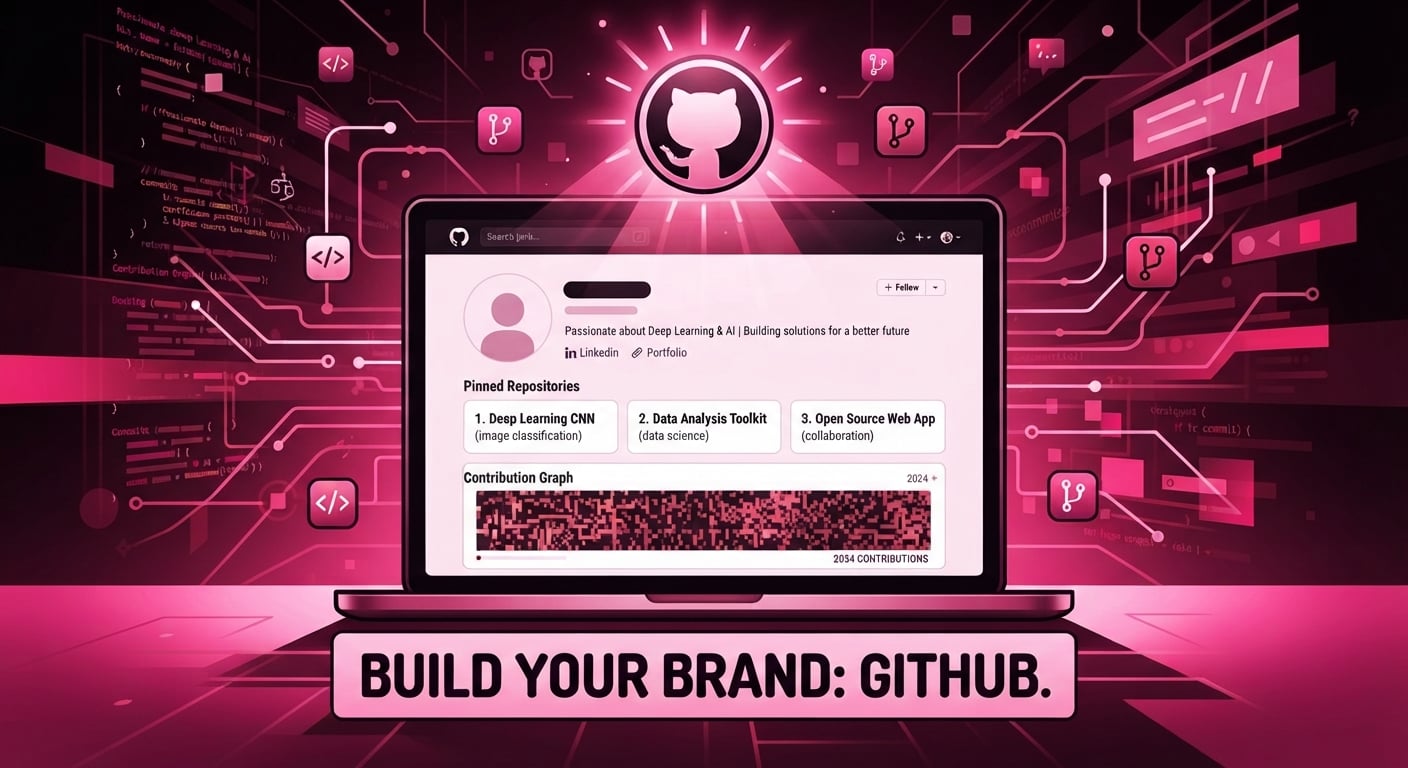
Every field has that one tool that's completely unique to it, something you'd never stumble on unless you were already inside the domain. Doctors have PubMed. Musicians have SoundCloud. Lawyers have SSRN. For coders and anyone in tech, it's GitHub. If you're new to it, like I was two years ago, it can feel daunting.
Welcome back to the Build Your Brand series, where we help you build that iconic brand. Today, we're talking about GitHub.
So, what is GitHub?
GitHub is a cloud-based platform for hosting, versioning, and collaborating on code using Git repositories.
Think of it like a farm. The developer is the farmer, GitHub is the farm, the projects are the crops, building them is the growing season, and the finished work is the harvest.
Or, simpler: GitHub is your personal library. Your code is a book. Keep it in the private section and no one sees it; put it in the public section and anyone can. GitHub also tracks every change to your code through version control. So if you push a 2.0 update, your 1.0 doesn't disappear; it just sits quietly in the background, still visible if you ever need it.
Git vs. GitHub, quickly: Git is the version-control system itself. GitHub is the platform built on top of Git that adds hosting, collaboration, and project management on top of it.
So the real question is: how does GitHub actually contribute to your brand, and how do you make that happen?
So, as mentioned before, GitHub is basically proof of what you can actually do. Back to the farmer analogy: a farmer with no harvest to show builds a brand as someone who doesn't really know how to farm, versus a farmer with a bountiful harvest, who builds a brand as someone who clearly does.
It's the same with coding. When you claim to be a strong Python developer but have no evidence of that on your GitHub profile, the recruiter (or whoever's interested) will most likely write you off. Even if the code is sitting right there on your hard drive, they can't access it. It doesn't count if no one can see it.
So if you want to build a brand that's actually aligned with who you want to be, it's worth following these tips.
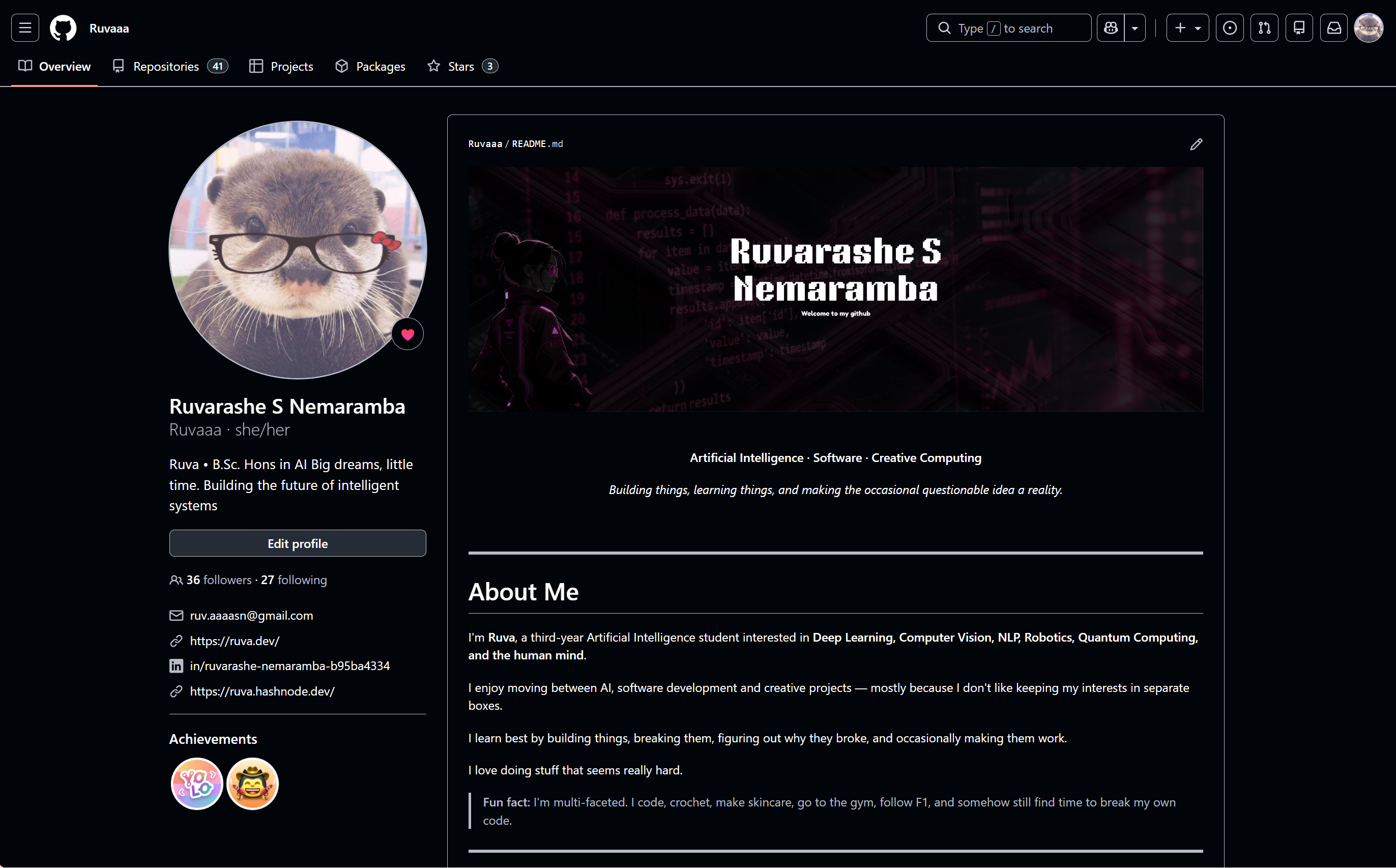
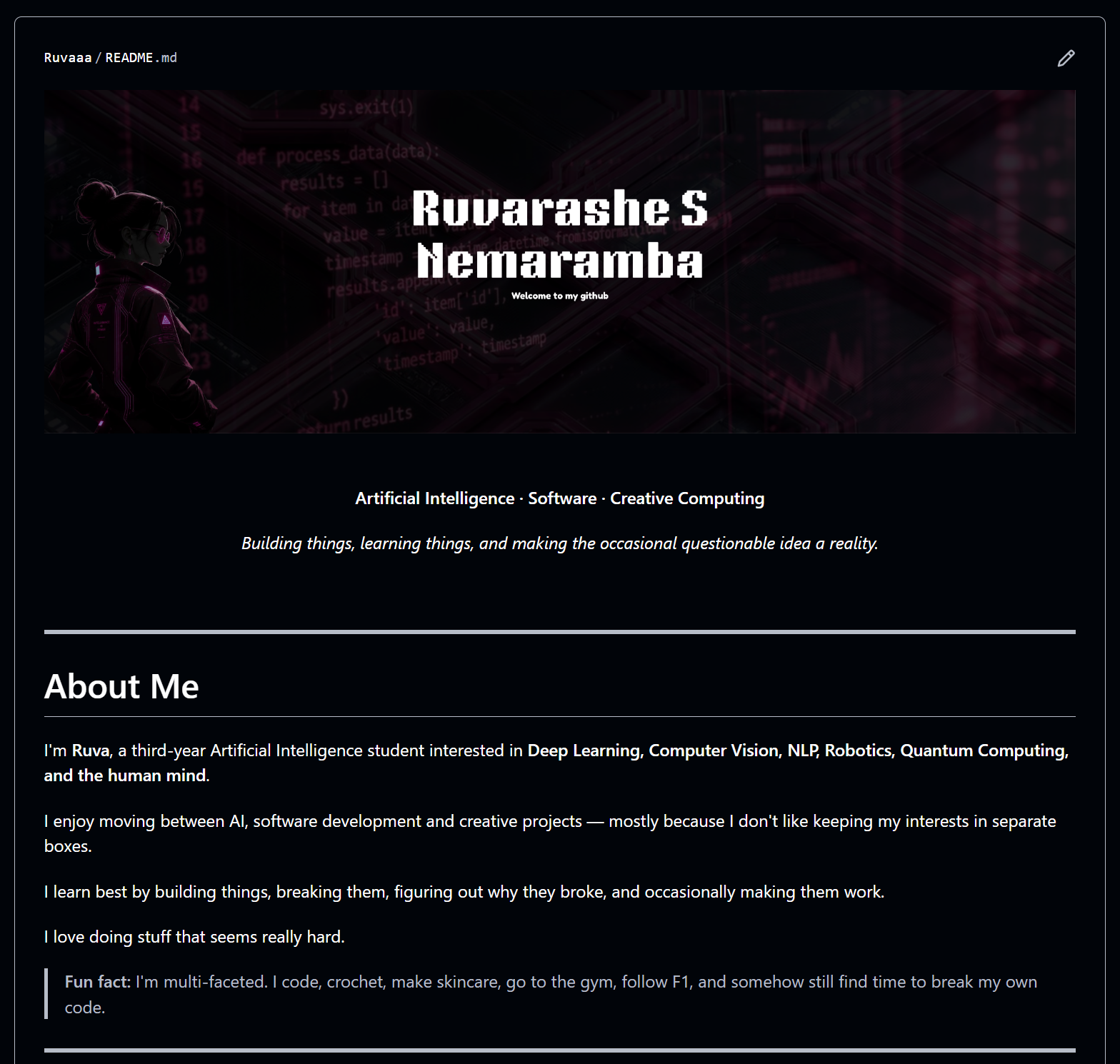
This is my current github profile, the top section that is.
1. The basic profile
Add a profile picture, ideally of yourself, though it's fine if you'd rather not (I don't). Use your real full name so people know it's you. Your bio should be a compressed, TL;DR version of who you are.
Location is optional. Some people add it because it makes things easier for employers scanning for local candidates; others prefer to keep that private. Do whatever you're comfortable with; it's not a requirement.
Also link your portfolio, LinkedIn, and email. Everything should lead to everything: your LinkedIn to your GitHub and portfolio, your GitHub back to both. The goal is that wherever someone lands first, they can find their way to the rest of your work.
Your profile should make it immediately obvious who you are, what you do, and what you're interested in.
2. The README
Just like Instagram gives you a bio, GitHub gives you a profile README: a markdown file that acts as your introduction.
Here's how it works: create a public repository with the exact same name as your GitHub username. Mine is Ruvaaa, so I made a repo called Ruvaaa and added a README.md inside it. GitHub automatically displays that file at the top of your profile.
You can personalize it however you like (images, GIFs, tables, emojis are all fair game), but don't let the fun stuff overshadow the point. A profile README should communicate your identity and point people toward your actual work. I have a contribution snake on mine, but my projects still come first.
A great tool for automating this process is here, and you can find small game ideas to embed here.
Below, you can see the top part of my profile README. If you want to see the whole thing, you can take a look at it here: MY GITHUB
3. Pin your best repositories
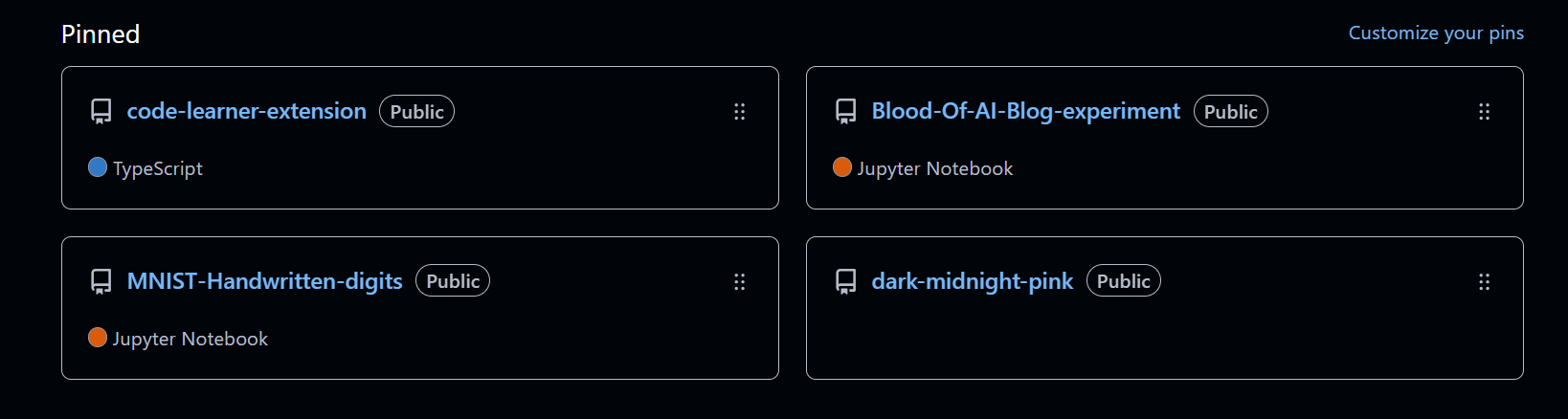
Think of pinning like choosing your best outfits. GitHub lets you pin repos and gists front and center on your profile, so use that space intentionally.
Don't pin every project that looks decent; pin the ones that align with where you're headed. I'm working toward becoming a deep learning engineer, so pinning a to-do list app, however functional, sends the wrong signal. A repo with a CNN trained on MNIST digits tells a much clearer story about what I'm building toward.
These are my pinned repositories, mostly some of my most visited projects. Hopefully I'll be able to add more that align to who I want to be!
4. Give every serious repo a README
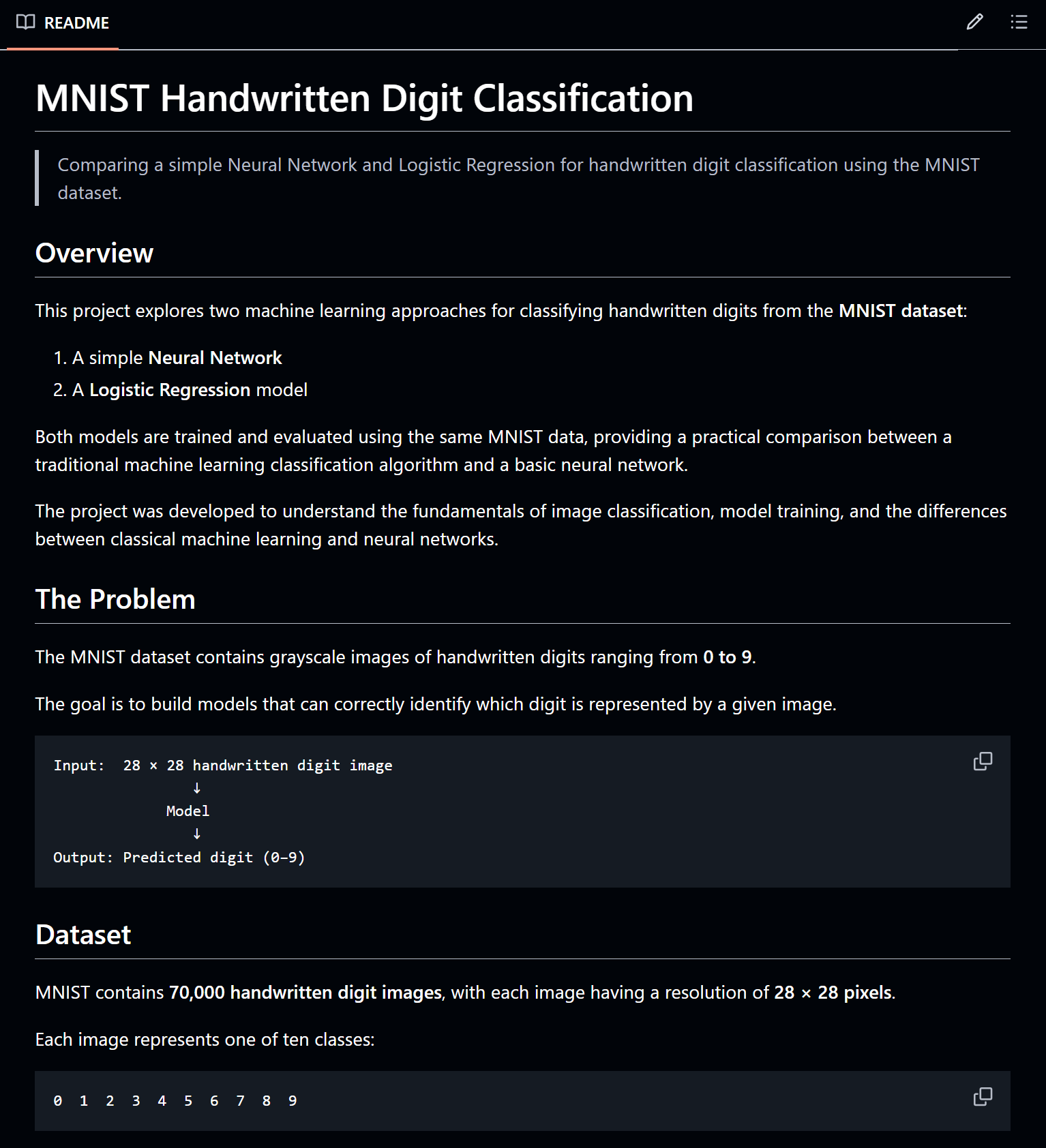
In high school, it was nearly impossible to understand a classmate's food science project. I wasn't them, and there was no way to actually learn from or build on their work. That's exactly the gap a good README closes. GitHub recommends a README for every repository because it helps visitors understand and navigate your work.
Fun fact: the name traces back to the early-1970s. The earliest known ancestor, a file called ‑READ‑ ‑THIS‑, was created by Ron Lebel at MIT's AI Lab and preserved on a backup tape from April 1973.
At minimum, your README.md should cover:
What the project is
Why you built it
The problem it solves
How it works
Technologies used
How to run it
Results
Demo/screenshots
What you learned
Future improvements
GitHub's own hiring guidance echoes this, recommending features, setup instructions, demos, and testing instructions in project READMEs.
Below, you can see an example of a README for one of my public projects. The picture only shows the top part, but you can just see the gist of what I've been talking about. If you want to see the full thing, take a look at my Github to see the MNIST Handwritten Digit Classification repository. This is all written in Markdown.
5. Don't just upload code, show the thinking
A repo can run perfectly and still tell a recruiter almost nothing about how you think. What they actually want to see is:
Problem → Data → Approach → Experiments → Results → Limitations
A simple example: "I initially achieved an AUC of 0.78. After feature engineering and hyperparameter tuning, I reached 0.81." That one sentence shows engineering and analytical thinking, not just Python syntax. It says: I had a problem, my first attempt wasn't good enough, so I iterated. This is also exactly why commenting your code matters.
6. Make the repository easy to understand
I'll admit it: I've named files things like bleepers.py. Don't do this. A recruiter skimming your repo has no idea what that means, no matter how good your README is.
GitHub recommends consistent style and descriptive names: image_preprocessing.py beats almost anything shorter but vaguer. Comment your complex code, write tests, and structure your project logically. So: no final_final2.py, no testnew.c, no folder just called stuff/, and no 2,000-line notebooks. Instead, aim for something like:
src/
├── data/
├── preprocessing/
├── models/
├── evaluation/
└── utils/
The exact structure will vary by project, obviously.
7. Don't fake activity
This one's nuanced. Don't make meaningless commits just to turn your contribution graph green, don't upload throwaway repos to inflate your count, and don't list 40 technologies because you watched one tutorial on each. I'm guilty of the first two.
Here's the nuance: when I first started coding, I never pushed to GitHub, so there was no record of any of it. When I fell off my streak, there was nothing to point to, no evidence I'd ever been improving, which made it harder to start again.
Five months ago, I actually learned Git properly, and it changed things. I pushed everything as I worked. So when I later fell off track and imposter syndrome kicked in, I had a contribution graph showing real activity, proof that on July 25th, 2026, I did something. That made it easier to show up again the next day.
Your GitHub should say "I build things," but it's also allowed to show that you started somewhere. To be clear: I'm not encouraging random commits with no real progress behind them. I'm saying don't be afraid to let the record show the actual climb.
8. Keep your profile maintained
Your GitHub is a big part of your online presence, so don't let it turn into a graveyard. When your focus shifts, update your bio, your README, and your pinned projects. Archive what's no longer relevant. Improve old projects, fix broken links, add missing documentation. Treat it the way you'd treat a CV: always current.
Your GitHub doesn't need to prove you're already an expert. It just needs to prove you're serious about becoming one. Build things. Document them. Explain your decisions. Make your work easy to explore. Then let the repository history speak for itself.
And don't be afraid to contribute to open source.
See you next time!